

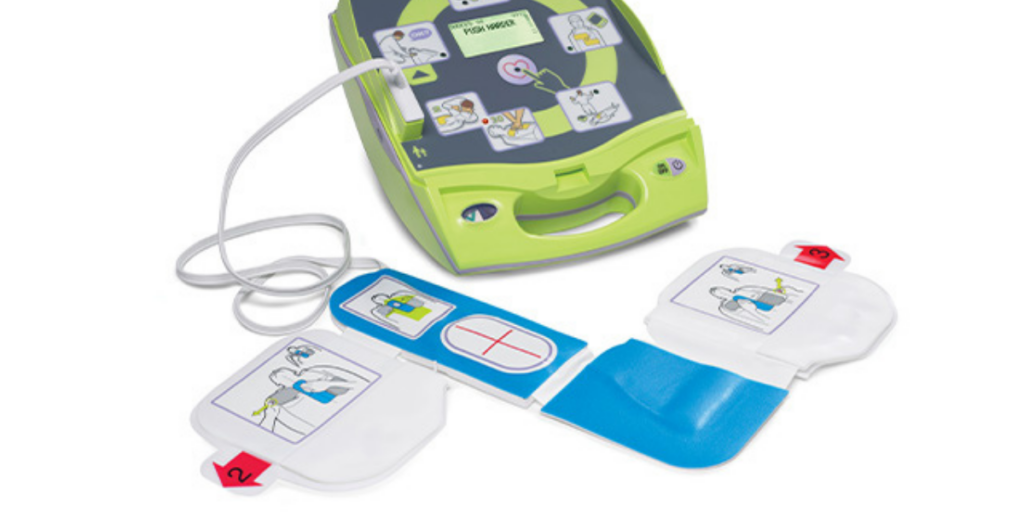
If your AED is beeping (or making a chirping sound), it can be frustrating—especially if it’s in a lobby, hallway, gym, or other public space. The good news is that an AED usually beeps for a helpful reason.
Most modern AEDs run automatic self-checks. When the device detects something that could prevent it from working in a real emergency, it alerts you. That alert is often a beep, chirp, or periodic alarm paired with a warning light, status symbol, or screen message.
In other words, beeping is usually the AED doing its job: protecting readiness.
This guide explains the most common reasons an AED beeps, what you can do right away to fix it, and when it’s time to call for service. The goal isn’t just to stop the noise—it’s to get your AED back to “rescue-ready” status.
First: Don’t Silence the Beep Without Fixing the Problem
It’s tempting to remove the battery, unplug pads, or move the AED somewhere quieter. But if the device is alerting you, it’s because something needs attention.
An AED that is beeping may still turn on, but you cannot assume it will perform properly during an emergency. Readiness issues often involve the battery, pads, or an internal test failure—exactly the things the AED needs to deliver a shock and guide CPR.
Think of the beep like a smoke alarm chirp: it’s not there to annoy you. It’s there to prevent failure when it matters most.
A 60-Second Quick Check (Do This Before Anything Else)
Before you guess, take one minute to check the simplest indicators:
- Look at the status indicator
Many AEDs show a green “ready” symbol when everything is OK and a red “attention” symbol when something isn’t. - Check the display or message window
Some AEDs give a clear reason: battery, pads, temperature, or service. - Open the case and check pad connection
Pads are often meant to stay connected. A loose connector can trigger alerts. - Check expiration dates
Pads and batteries expire. Even if they look fine, the AED will alert you when they are not within readiness requirements.
If you do those four checks, you’ll identify the cause in most situations.
Common Reasons Your AED Is Beeping (and How to Fix Each One)
1) The Battery Is Low or Expired
This is one of the most common causes of AED beeping.
AED batteries aren’t like TV remote batteries. They power self-tests, internal readiness checks, and the energy needed to deliver a shock. As batteries approach end-of-life, the device warns you so it doesn’t fail during an emergency.
What to do:
- Check the battery expiration date or indicator window (if your model has one).
- Confirm the battery is seated correctly and fully latched.
- Replace it with the correct battery designed for your exact AED model.
A quick note: if you manage multiple AEDs, keeping one spare battery on hand can prevent downtime and avoid the panic of a sudden alert.
2) Electrode Pads Are Expired (or Will Expire Soon)
AED pads have a shelf life. The gel and adhesive degrade over time, and the device monitors readiness based on pad condition and expiration.
Pads can trigger beeping when they are:
- Expired
- Near expiration (some AEDs warn ahead of time)
- Damaged or compromised
- Not the correct pad type for the AED
What to do:
- Check the pad expiration date printed on the pad package.
- Replace expired pads immediately.
- Keep a spare set available if your location is high-risk or high-traffic.
If your AED supports pediatric response and your environment includes children, confirm you have the correct pediatric capability (pads or a pediatric mode) ready and not expired.
3) Pads Are Disconnected (or the Connector Is Loose)
Many AEDs are designed to keep the pads connected to the device at all times. That way, if an emergency happens, the responder opens the case and can act immediately.
If the pad connector is loose, partially unplugged, or not seated properly, the AED may beep because it cannot confirm readiness.
What to do:
- Open the AED case.
- Locate the pad connector and firmly re-seat it.
- Make sure the pads are stored neatly so the cable isn’t tugged or bent sharply.
- Close the lid and check the status indicator again.
This issue happens often after someone checks the AED and accidentally loosens the connection while closing the case.
4) The AED Has a Temperature or Storage Warning
AEDs are sensitive devices. Extreme heat, cold, or humidity can affect battery performance and internal components. Some models will beep if the environment is outside recommended limits.
This is common when AEDs are stored:
- In vehicles
- In outdoor enclosures not rated for temperature control
- Near a heater, window, or direct sunlight
- In an unheated warehouse area
What to do:
- Move the AED to a more stable environment within normal room temperature.
- If the AED is intended for outdoor placement, use an approved outdoor cabinet designed to protect the device and maintain safe conditions.
Even if the AED stops beeping after relocation, document the incident and consider whether the placement strategy needs adjustment.
5) The Device Detected an Internal Error or Failed a Self-Test
Sometimes the beep is not a simple pad or battery issue. AEDs run self-tests for internal circuits, software stability, and energy delivery systems. If something fails, the device alerts you.
This can be caused by:
- Internal component failure
- A persistent issue not corrected by pad/battery replacement
- A device that needs service or inspection
What to do:
- First, confirm battery and pads are correct, connected, and not expired.
- Check the indicator/screen for any service icon or error message.
- If the device still won’t return to “ready,” schedule service.
This is where professional inspection matters. Your AED is not the place for guesswork.
6) It’s Beeping After You Changed the Battery (What That Usually Means)
This is one of the most common “People also ask” situations: you replaced the battery, but the AED still chirps.
In many cases, the battery was not the real problem—or the change wasn’t completed properly.
Most likely causes:
- Battery not fully seated or latched
- Wrong battery model for the AED
- Pads expired or disconnected (battery change didn’t address the root cause)
- Device requires a reset/self-check completion step
- Internal fault remains
What to do next (simple order):
- Remove the battery and reinstall it carefully to ensure it locks in place.
- Confirm the battery is the correct model.
- Check pads: connected and not expired.
- Close the lid and wait for the AED to finish its self-check.
- If it still alerts, it’s time for service.
The key idea: beeping after a battery change often means the device is still seeing a readiness issue—and it’s telling you exactly that.
How to Stop the Beeping the Right Way
The correct way to stop an AED from beeping is always the same: fix the readiness issue.
If you stop the sound without correcting the cause, you haven’t solved the problem. You’ve simply made it easier to overlook.
Once the battery, pads, and connections are correct—and the AED passes its self-check—the status should return to “ready” and the alert will stop.
If it doesn’t, treat it as a priority maintenance issue.
What Not to Do When Your AED Beeps
You don’t need a long checklist here. Avoid these common mistakes:
- Don’t remove the battery and leave it out.
- Don’t disconnect pads just to silence an alert.
- Don’t assume “it’s probably fine.”
- Don’t postpone replacement parts because the AED “still turns on.”
In emergency readiness, “probably fine” is not a strategy.
Preventing Future Beeping: A Simple Readiness Routine
Most AED alarms can be avoided with a consistent, documented maintenance routine. For many organizations, the biggest issue isn’t cost—it’s forgetting replacement dates or assuming someone else is checking the device.
A strong routine includes:
- Regular visual checks of the status indicator
- Tracking pad and battery expiration dates
- Ensuring pads remain properly connected
- Confirming storage temperature and placement conditions
- Periodic inspections to confirm the AED is rescue-ready
For multi-location organizations, readiness tracking becomes even more important. One overlooked AED in one location can become a serious risk.
Why Service and Maintenance Should Be Part of Your AED Program
AED ownership isn’t just about purchasing a device. It’s about keeping that device ready for the moment it’s needed.
A maintenance-focused AED program helps you:
- Prevent surprise beeping alerts
- Replace pads and batteries before expiration becomes a risk
- Document readiness for compliance and internal safety standards
- Ensure the AED performs correctly during an emergency
- Reduce liability by showing consistent oversight and inspections
The organizations that handle AED readiness best are the ones that treat it like any other critical safety system: planned, tracked, and serviced consistently.
A Strong Next Step: Get Your AED Back to Rescue-Ready Fast
If your AED is beeping and you’re not 100% sure why, don’t leave it unresolved. The device is asking for attention for a reason.
Life Support Systems supports organizations nationwide with AED program maintenance, including inspection, servicing, readiness tracking, and replacement pads and batteries. Whether you have one AED or a nationwide footprint, we help keep your devices compliant, maintained, and ready to perform when it matters most.
If your AED won’t return to a “ready” status after basic checks—or if you want a maintenance plan that prevents these issues in the first place—our team can help.
FAQs: Why Is My AED Beeping?
Why would my AED or defibrillator beep?
Usually because it detected a readiness issue during a self-check—most often pads, battery, connection, temperature, or a service fault.
Does an AED beep when the battery is low?
Yes. Low or expired batteries are a top reason AEDs beep.
How do I know when my AED battery needs replacing?
Check the status indicator, any battery indicator window, and the battery expiration date. If the AED alerts or shows a warning status, replace it.
Why is my AED still beeping after a battery change?
Common reasons include a battery that isn’t fully seated, the wrong battery model, expired/disconnected pads, or an internal fault.
Will my AED still work if it’s beeping?
You should not assume so. Beeping usually means the AED is not fully rescue-ready until the underlying issue is corrected.
How do I stop my AED from beeping?
Fix the cause—most often by reconnecting pads or replacing expired pads/battery. If it continues, schedule service.
Can temperature cause an AED to beep?
Yes. Some AEDs alert if stored in conditions outside the recommended temperature range.
What if the pads aren’t expired but the AED still alarms?
Pads may be disconnected, the connector may be loose, or the device may have an internal error that requires inspection.
Last updated on 1 month ago
 Call Us
 Email Us